Page 3 of 3
Re: How to upload pictures
Posted: Wed May 16, 2018 5:56 am
by Rd3380
..................
Re: How to upload pictures
Posted: Tue Feb 09, 2021 12:55 pm
by davidben
At last some pics of my satin sheets and dresses getting ready for action.
Re: How to upload pictures
Posted: Tue Feb 09, 2021 12:57 pm
by davidben
Some more.....
Re: How to upload pictures
Posted: Tue Feb 09, 2021 12:59 pm
by davidben
More satin sheets.
Re: How to upload pictures
Posted: Tue Feb 09, 2021 1:00 pm
by davidben
Lovely double sides black satin dress.
Re: How to upload pictures
Posted: Tue Feb 09, 2021 1:02 pm
by davidben
With satin lined fur coat.
Also a very soft blue satin dress.
Re: How to upload pictures
Posted: Tue Feb 09, 2021 1:05 pm
by davidben
And finally gold satin gloves to complete the ensemble.
Re: How to upload pictures
Posted: Fri Aug 12, 2022 7:31 am
by Leelfc6980
Just bought wife this
8A58F157-7CAC-48A6-8669-788529BB86DB.jpeg
Re: How to upload pictures
Posted: Sat Apr 22, 2023 4:07 am
by deepinshine
Hey guys,
I need some help here, i tried to upload pictures in posts, but it kept failing and reminded me " the board attachment quota has been reached". What is the problem then? I have deleted all attachments in my former posts, still the same...
Thanks for help!
Jojo
Re: How to upload pictures
Posted: Mon May 13, 2024 3:34 am
by rajarsg2525
satinforum wrote: Thu May 05, 2011 10:16 pm
Here is how you do it.
- On the new post, near the bottom choose the “Upload Attachment” tab – it’s next to the “Options” tab underneath the bit where you type your message.
- Press the “Browse” button next to filename and it opens a window to find the file on your computer. Select the file
- Now press the “Add the file” button (it’s next to the “Browse” button)
- A new area will appear just below the bit where you type your message. Press the “Place inline” button to add the image to your post
- Press the “Submit” button as normal to submit your post.
Please note that we do have a file size limit so you can’t post anything too big. You may need to resize it on your computer first if you get an error about the file size being too large. You can resize pictures using "paint" (built-in to Windows), or use an online service such as
http://www.picresize.com/
If the size limitation is still too restrictive, then an alternative is to create a link to the pictures at an external image hosting website
Thank you for very much for the help! Btw i'm stiil new here
Re: How to upload pictures
Posted: Wed Feb 26, 2025 2:11 am
by silkbeddingbride
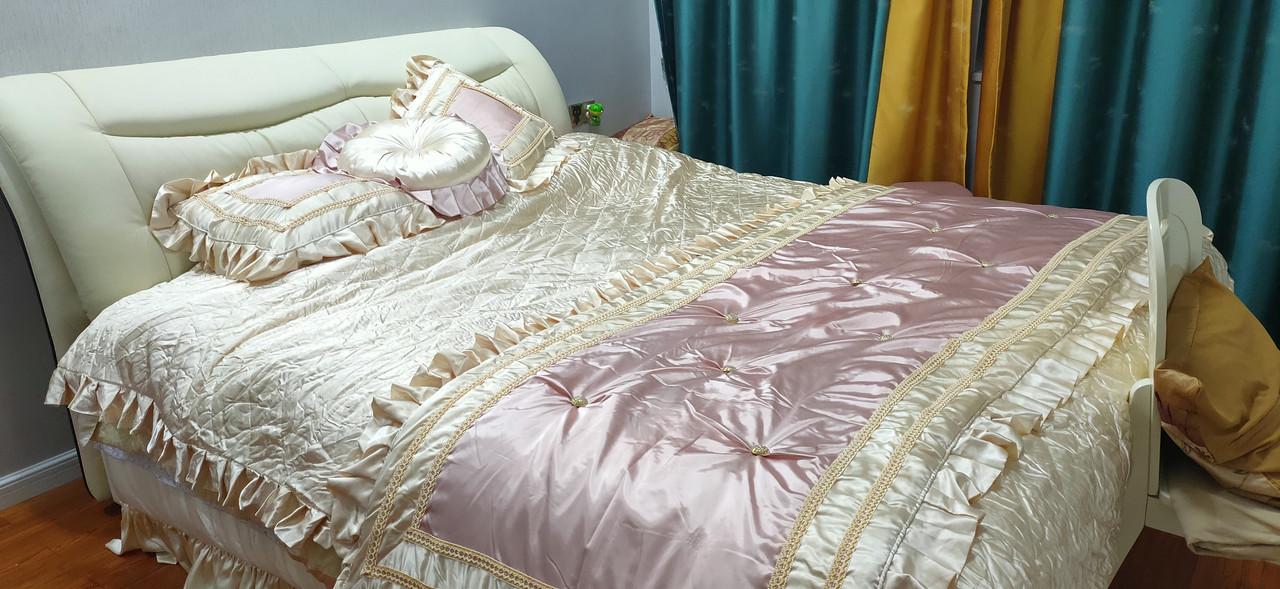
try